Tasks
When Verbels processes a meeting, it pulls out the action items from the conversation and turns them into tasks. Open any processed meeting and select the Tasks tab to see what it found.
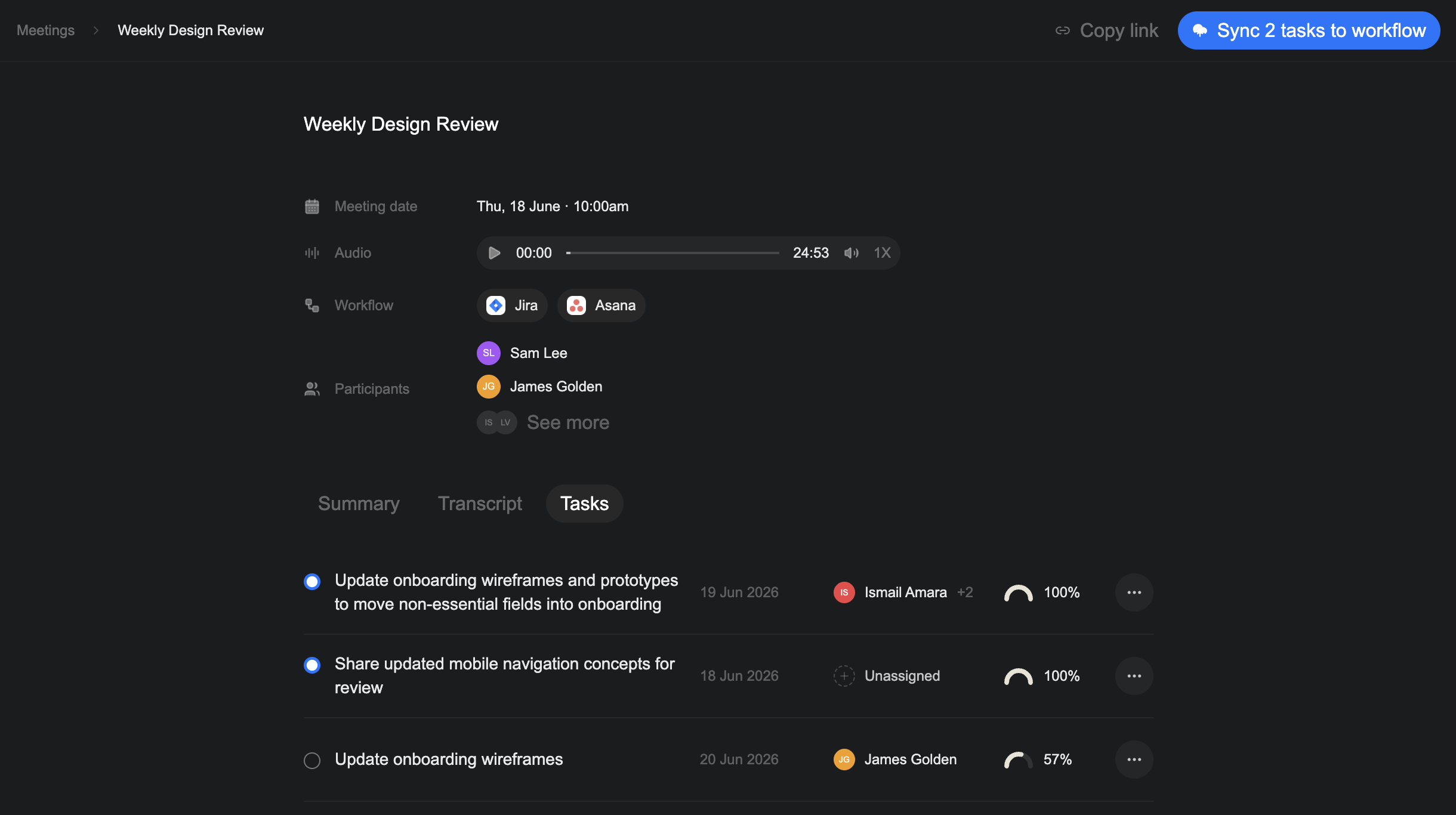
Each task can include a task name, assignees, a due date, and a confidence score. Check each task before you assign it or send it to a workflow tool. Pay close attention to the wording, names, and dates.
Task guides
Understand confidence scores
Use the score to decide which generated tasks need a closer look.
Review confidence scores →Create and edit tasks
Correct task details, add a task Verbels missed, or remove one you do not need.
Manage tasks →Assign tasks
Add the right people to each task before you send it to your workflow.
Assign tasks →Select and sync tasks
Send selected tasks to Jira or Asana.
Sync tasks →