Meeting access preferences
Meeting access controls which meetings Verbels can join from your connected calendar. It does not stop you from adding an external meeting or uploading a transcript yourself.
Before you choose a preference, connect your Google or Outlook calendar to Verbels.
Find the setting
- Open Settings.
- Stay in the Account tab.
- Scroll down to Preferences.
- Find Meeting access.
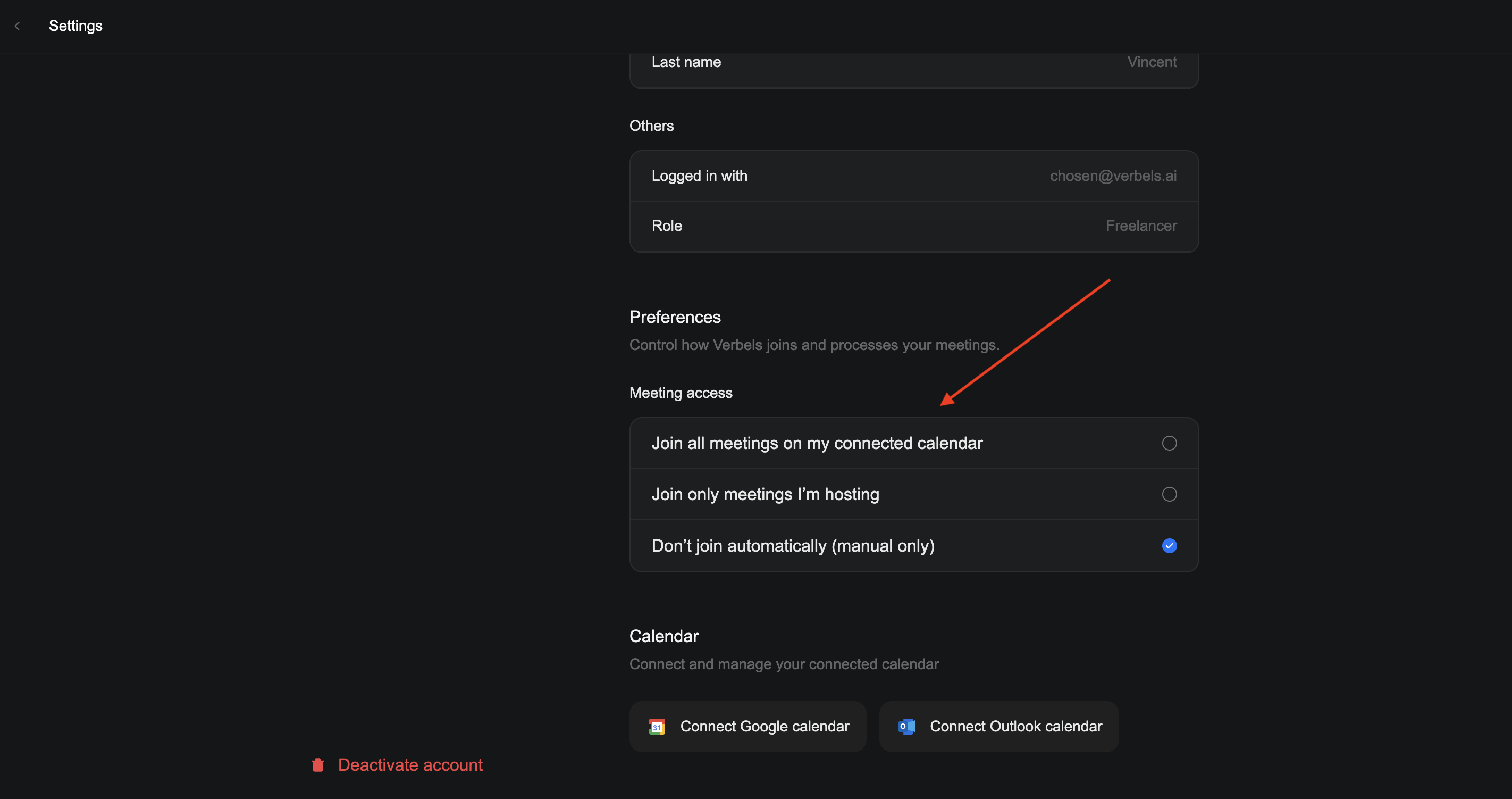
Compare the options
| Option | What Verbels does | When to use |
|---|---|---|
| Join all meetings on my connected calendar | Verbels can join supported meetings on the connected calendar. | You want Verbels available for most of your meetings. |
| Join only meetings I’m hosting | Verbels only joins supported meetings you organize. | You only want Verbels in meetings you control. |
| Don’t join automatically (manual only) | Verbels does not join calendar meetings on its own. | You prefer to add each meeting yourself. |
You can return to Meeting access and select another option at any time. Check the setting before an upcoming meeting if you want Verbels to handle it differently.
You can still add meetings yourself
Choosing Don’t join automatically does not stop you from using Verbels. You can still add an external meeting or upload a transcript from the Meetings page.
If Verbels does not join
Check that:
- The right calendar account is connected.
- The meeting is on the connected calendar.
- The meeting matches your selected access preference.
- The meeting appears on the Meetings page after you resync the calendar.
If the problem continues, see Verbels did not join a meeting or Calendar is not updating.