Add an external meeting
Add an external meeting when you have a meeting link that is not on your connected calendar. Verbels will use the link to join and process the meeting.
Supported meeting platforms
You can invite Verbels to meetings hosted on:
 Zoom
Zoom Microsoft Teams
 Google Meet
Invite Verbels to the meeting
Before you begin, have the meeting name, meeting link, and expected duration ready. Open the link first to make sure it is correct.
- Open Meetings.
- Select Add external meeting.
- Select Invite Verbels at the top of the window.
- Enter the meeting details.
- Select Invite Verbels.
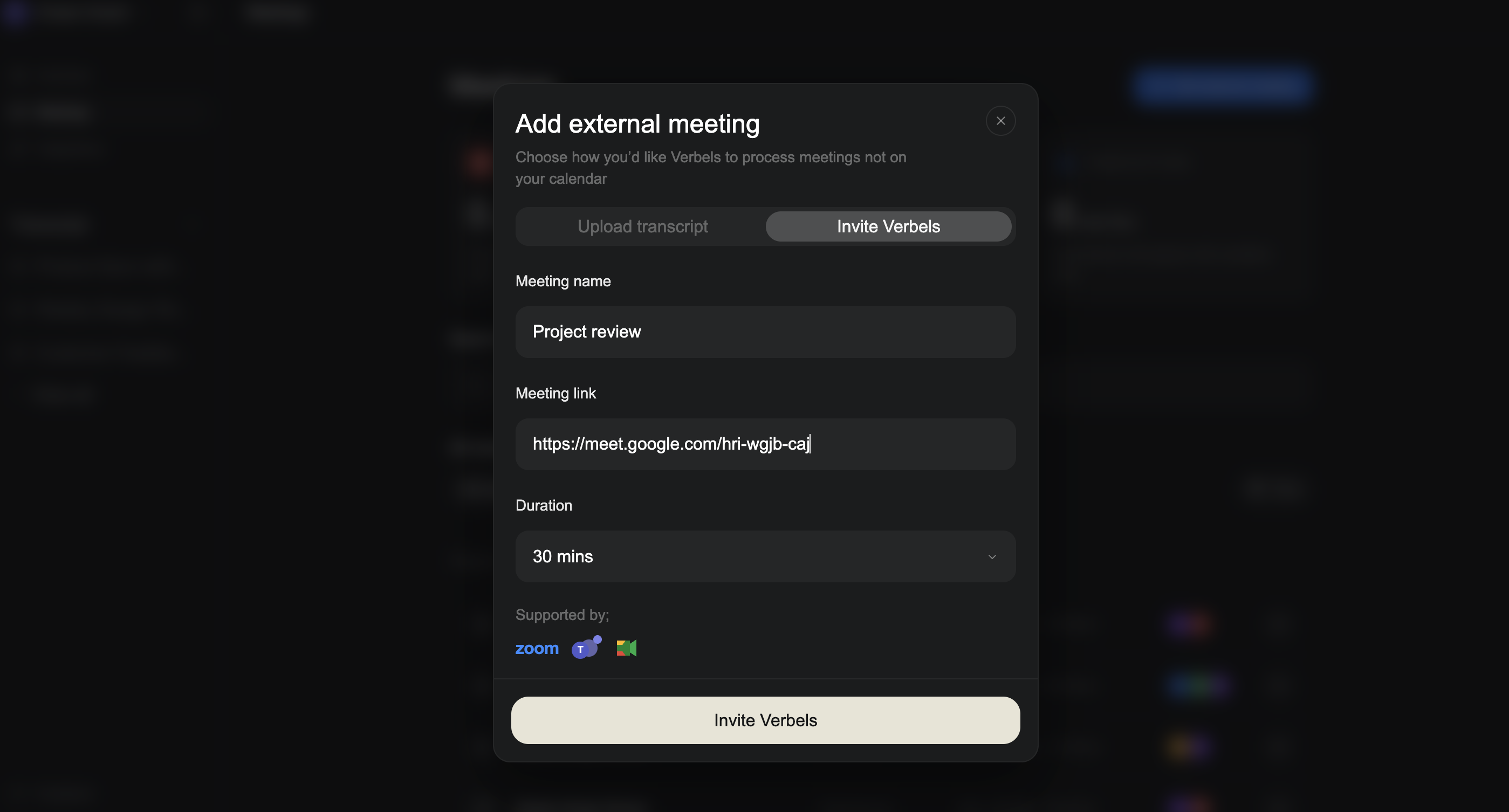
You cannot invite Verbels to a meeting that has ended. If you already have the transcript, upload it instead.
Duration tells Verbels how long it should stay in the meeting. Choose the closest option if you do not know the exact length.
What happens next
After you send the request, Verbels will get ready to join. If the meeting has a waiting room, the host may need to admit Verbels before it can hear and process the conversation. Keep the meeting link active and watch for Verbels in the participant list when the meeting starts.
After the meeting
The meeting will appear on the Meetings page with External join as its source. When processing is complete, open the meeting to review its summary, transcript, and tasks.
Learn how to view a processed meeting.
If Verbels cannot join
Check that:
- The meeting link is complete and still active.
- The link opens a supported meeting platform.
- The meeting has started.
- The host has admitted Verbels from the waiting room.
- The meeting duration has not ended.
If Verbels still cannot join, see Verbels did not join a meeting.