Verbels documentation
Verbels turns meeting conversations into clear tasks your team can review, assign, and send to the tools they already use.
After a meeting, it is easy to lose track of what needs to be done and who is responsible. Verbels pulls out those tasks and helps you move them into your workflow without having to copy them over yourself.
How Verbels works
You first give Verbels access to a meeting. Once the meeting ends, Verbels processes the conversation and puts everything you need in one place. You can then check the result, fix anything that needs attention, and choose which tasks to send to your workflow tool.
Give Verbels the meeting
Connect your calendar, paste a link to an external meeting, or upload a transcript from a meeting that already happened.
Verbels processes it
Verbels creates a summary and transcript, then pulls out the tasks it finds in the conversation.
Check the tasks
Review each task before using it. You can change the wording, add assignees, choose a due date, or remove a task you do not need.
Send the tasks you want
Select the tasks that are ready, then send them to the right project and section in Jira or Asana.
Stay in control of generated tasks
Every task Verbels creates waits for your approval before it goes anywhere. Nothing is sent to Jira or Asana until you review it and choose to send it.
From the Tasks tab, you can:
- Change the task name.
- Add or remove assignees.
- Pick a due date.
- Delete a task you do not need.
- Create a task that Verbels missed.
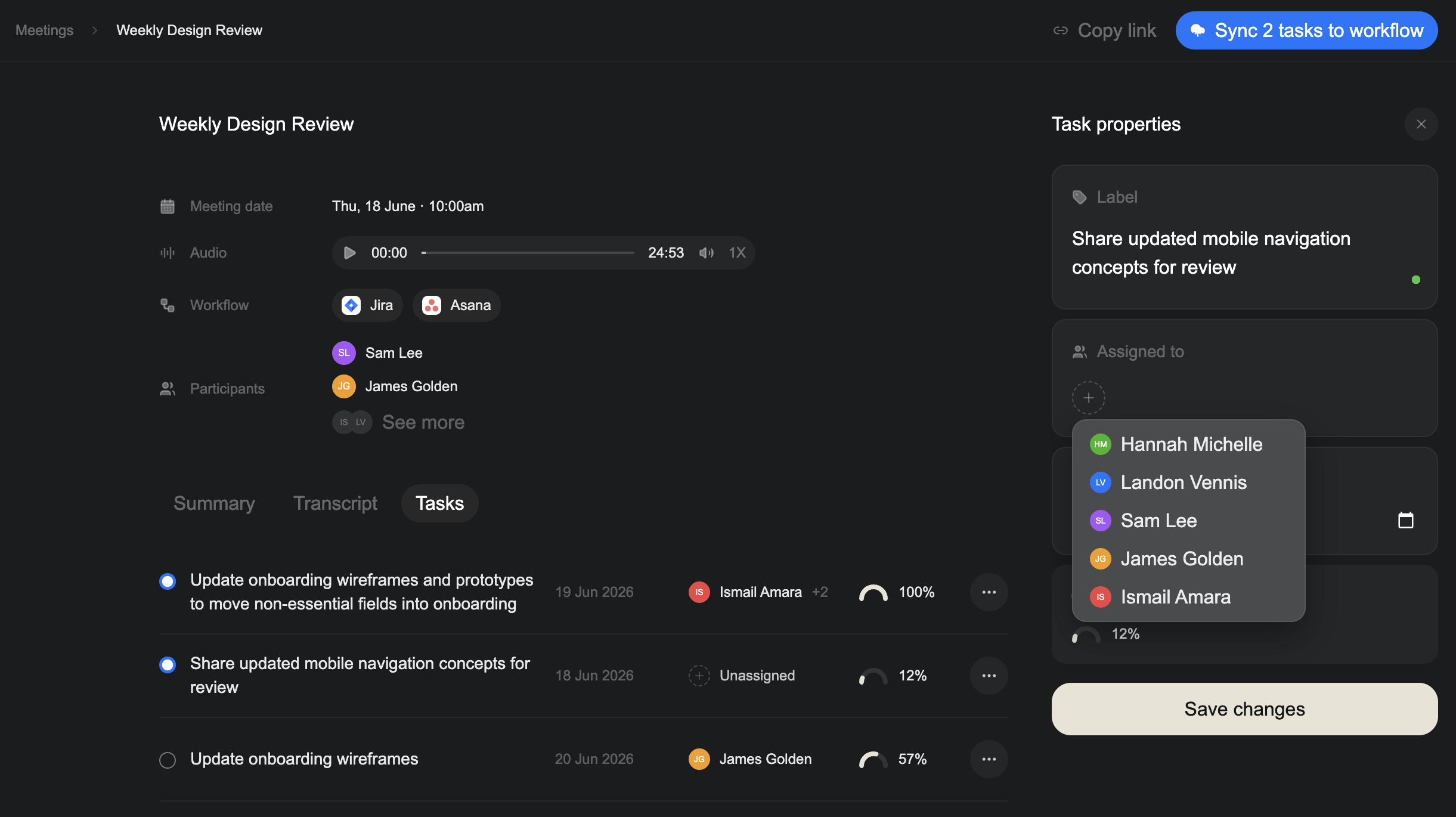
Each task has a confidence score that helps you decide which ones need a closer look. Learn how confidence scores work.
Who Verbels is for
Verbels is for teams that leave meetings with decisions to track and tasks to hand off. If your team uses Jira or Asana and spends time manually moving action items from meetings into projects, Verbels handles that for you.
Start using Verbels
If this is your first time here, start with the Quickstart. It takes you from setup to your first processed meeting.